PDF to Word, free: convert without watermarks, limits, or sign-up
You need to edit a PDF, so you go to convert it to Word — and the free tool caps you after two files a day, or stamps a watermark across the result, or makes you create an account first. Converting a PDF to Word shouldn't cost you your afternoon or your email address.
Here's how to do it cleanly, for free, and what to expect from the result.
What a good PDF-to-Word conversion should preserve
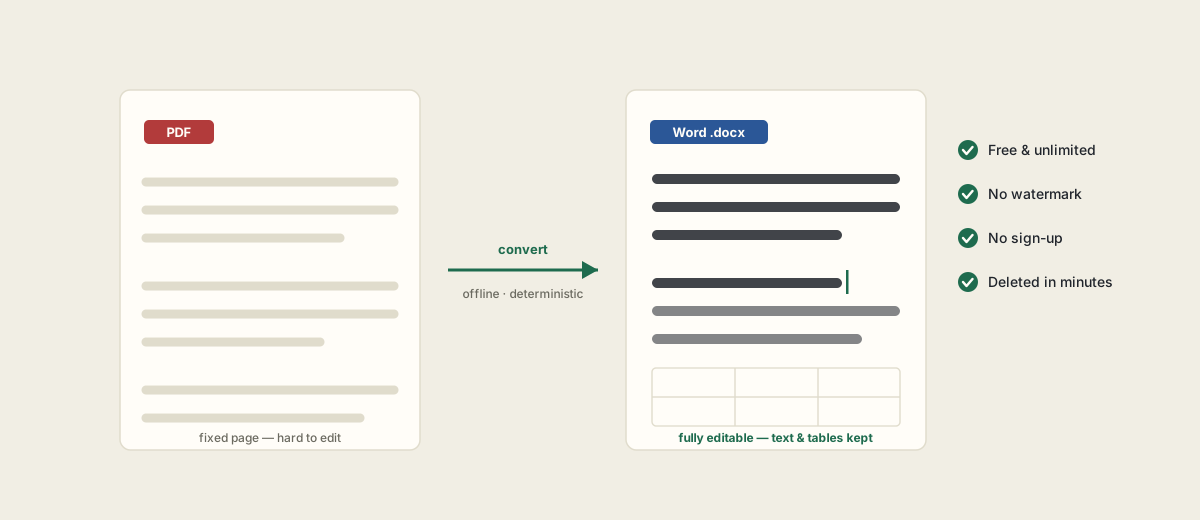
A PDF describes a fixed page; a Word document describes editable structure. A faithful conversion rebuilds that structure so you can actually edit it:
- Paragraphs and headings as real, editable text — not images of text.
- Tables reconstructed as Word tables, cell for cell.
- Images placed where they belong.
- Standard fonts matched, with a close fallback for unusual ones.
How to convert PDF to Word
- 1Open the PDF to Word tool and upload your PDF (up to 50 MB).
- 2It converts on our own server, keeping paragraphs, tables and images in place.
- 3Download the editable .docx. The one-time link expires in about 15 minutes, then the file is deleted.
The one honest caveat: text PDFs vs scans
PDF-to-Word reads the PDF's real text layer — it doesn't guess pixels. So a text-based PDF converts cleanly, while a scanned or photographed page is just an image with no text to convert. If your file is a scan, run it through OCR first (free in PDF Tools) to add a text layer, then convert. We'll tell you when a file needs this rather than hand you a blank document.
Free, unlimited, and private
No daily limits, no watermark, no sign-up. Files are processed in memory on our own server — no third-party AI or cloud service — and deleted within minutes. And while you're there, the same toolkit does the reverse (Word, Excel and PowerPoint to PDF) plus merge, split, compress and OCR, all free.
Frequently asked questions
Is it really free with no watermark?
Yes — completely free, unlimited, no sign-up and no watermark on the output.
Will my formatting survive?
Paragraphs, tables, images and standard fonts are preserved. Very complex layouts may not be pixel-perfect — a limitation of any PDF-to-Word conversion.
Can I convert a scanned PDF?
Only if it has a text layer. Run scans through OCR first (free in PDF Tools) to add one, then convert.
Do you keep my file?
No. It's processed in memory and deleted within about 15 minutes. Nothing is stored and no account is required.